

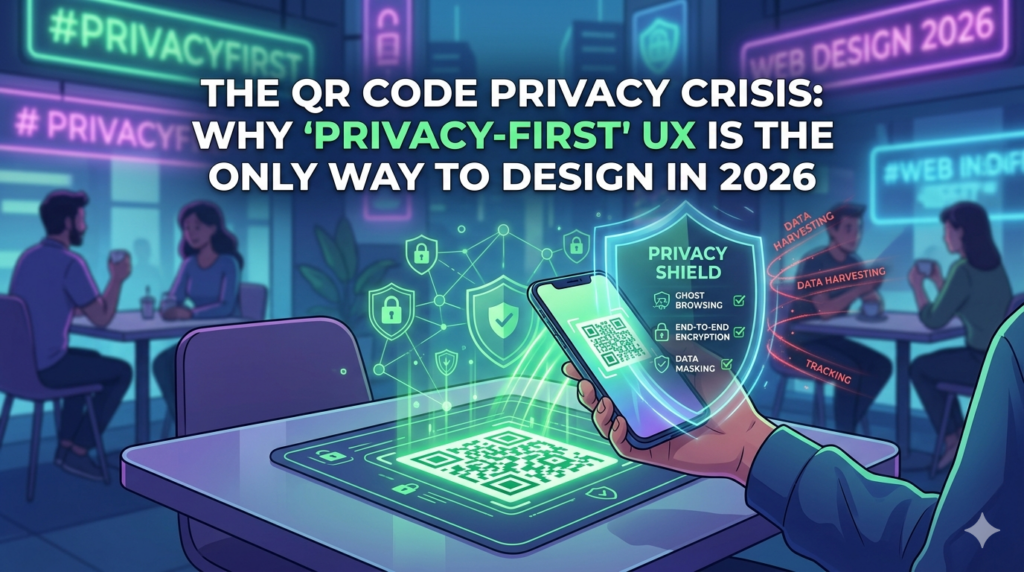
We’ve all been there. You sit down at a cafe, scan a QR code to see the menu, and the first thing you’re hit with isn’t a list of lattes—it’s a pop-up asking for your phone number, email, and “permission to track”. is it Privacy-First UX Design for customer?
In 2026, the QR code honeymoon is over. After a wave of scandals—staff misusing customer data, leaks from shady third-party apps—people are fed up. As web designers, this isn’t just bad PR for businesses; it’s our wake-up call to rethink how we build experiences.
Privacy-First UX design
If you want to earn real trust this year, go privacy-first UX design. Here’s how to make it happen, step by step.
1. Ditch the “Data Wall” Up Front
The biggest mistake designers make is forcing a user to register before they even see the product.
- The Problem: Asking for a phone number just to show a menu is perceived as “data harvesting.” It creates immediate friction and distrust.
- The Solution: Fix it with Ghost Browsing. Let people explore the full menu or catalog anonymously. Only ask for details when they’re ready to act—like at checkout—and always include a guest option. Friction gone, trust gained.
Also Read: Web Development, AI or Cyber Security – Best Career Option in 2026
2. End-to-End Encryption for Physical Scans
Scanning a QR in public? You’re wide open to “quishing”.
- The Problem: Phishers slapping fake stickers over yours that funnel users to scam sites.
- The Solution: Go dynamic and authenticated. Ditch static links for short-lived, encrypted tokens. This verifies it’s really your business they’re talking to, not some data-sucking impostor.
3. Build “Ephemeral” Sessions That Vanish
Users today freak out about their “digital shadow”—that creepy data trail lingering after one quick scan.
Default to auto-purging sessions. Be upfront: “Your info deletes in 30 minutes.” It’s not just ethical; it’s a conversion booster. Safe users stick around and spend more.
4. Prevent “Staff Leaks” with Smart Masking
Recent headlines have highlighted cases where staff members used phone numbers from digital menus to contact customers privately. This is a massive privacy-first UX design failure.
Mask the details. Design backends where staff sees “Table 4, Order #123,” not “Jessica, 555-0123.” Dashboards on a need-to-know basis keep things tight—no phone numbers unless delivery demands it.
5. Add Honest “Privacy Micro-Copy”
Privacy shouldn’t be hidden in a 50-page Terms & Conditions document that no one reads.
Use simple labels, like nutrition facts. Right under “Scan to Start”:
- ✅ No tracking
- ✅ No third-party ads
- ✅ Fully encrypted
This tiny touch builds loyalty that fancy animations can’t touch.
Get a professionally designed and developed website tailored to your needs.
As an experienced website developer based in Delhi NCR, I offer customized solutions to build responsive, SEO-friendly, and user-friendly websites. Whether it’s for a personal blog, business site, or e-commerce store, I ensure your online presence stands out.
The Bottom Line: Trust is the New Currency
As a Freelancers, we’re not just crafting pretty sites anymore. We’re delivering security. Pitch clients on a “leak-proof, privacy-first menu,” and you’re not selling pixels; you’re shielding them from lawsuits and backlash.
In 2026, Freelance Web Development Is Changing Work. Best privacy-first UX design isn’t about looks. It’s about making users feel safe.
FAQ’s
What is a “privacy-first” QR menu?
A privacy-first QR menu is designed so users can view and interact with a restaurant’s digital menu or service without handing over personal data up front; personal details are requested only when necessary and are minimized, masked, or deleted after use.
How can QR codes be made safer from scams and phishing?
Safer QR systems use dynamic, short-lived tokens and authenticated QR links rather than static URLs, plus HTTPS and content verification so scans point to the real business and not a malicious clone.
Will my information be stored forever after I scan a QR code?
Not on privacy-first systems: they can implement automatic session purging and ephemeral sessions so your data is deleted after a defined period (for example, 30 minutes), and any stored data should be limited to what’s strictly necessary.


