

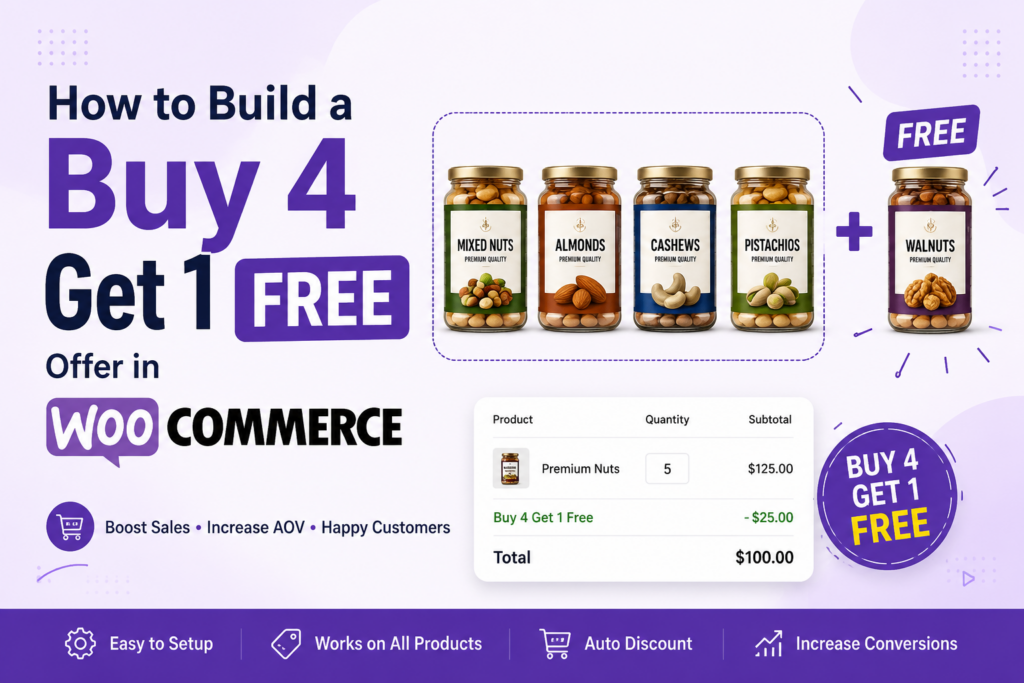
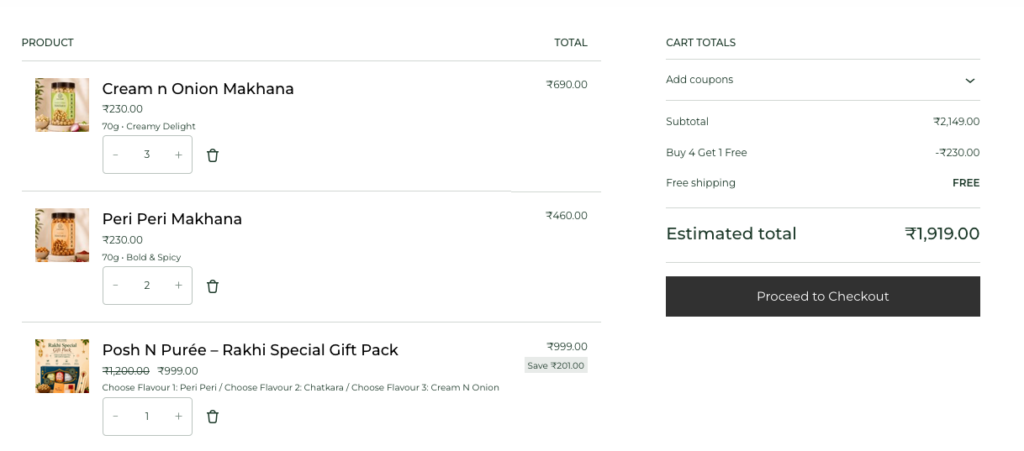
One of my clients needed a Buy 4 Get 1 Free offer on his store, with one condition: gift packs and combo products, like his Rakhi gift pack, had to stay out of it entirely. Simple enough on paper.
I went looking for a plugin first, the way most people would. Every option that could actually handle the exclusion logic came with a monthly fee attached, and a few of them looked like they’d slow the store down more than the offer was worth. So I dropped the plugin idea and built it with custom PHP instead.
It took a few hours to get the logic right, mostly around making sure excluded products never got counted toward the offer. Once it was live and tested on the client’s store, it worked exactly as expected. Here’s the full code and the steps behind it.
If you’d rather have this built and tested on your store than debug it yourself, I take on WooCommerce projects like this regularly. You can see more about the work at Ecommerce Website Designer in Delhi.
Why This Offer Beats a Discount Code
A free product feels bigger to a customer than the equivalent amount off. Give someone 10% off a ₹1,895 cart and they save ₹190. Give them a free ₹299 item instead, and it reads as a gift, even though the numbers land close together.
The pattern I use most often:
| Quantity | Offer |
|---|---|
| 1 item | Regular price |
| 2 items | Regular price |
| 3 items | 10% discount |
| 4 items | Regular price |
| 5 items | Cheapest item free |
Take five items at ₹299, ₹349, ₹349, ₹399, and ₹499. That’s ₹1,895 total. Drop the cheapest one and the customer pays ₹1,596.
Why the Cheapest Item, Not a Random One
Making the cheapest eligible product the freebie is standard practice, and there’s a reason for it. It stops customers from gaming the cart by adding five of the priciest item. It keeps your margin predictable no matter which combination someone buys. And it works cleanly even when every product in the store has a different price point.
Decide the Rules Before You Touch Any Code
I’ve shipped this feature badly at least once by skipping this step, so now I always answer these questions first:
- Does every product qualify, or only specific categories?
- Are gift packs, combo packs, or subscriptions excluded?
- Do items already on sale still count toward the offer?
- Does the logic need to handle variable products?
- Should a bigger cart unlock more than one free item?
Get these answers from the client (or decide them yourself if it’s your own store) before writing a single line of PHP. Retrofitting exclusion rules into working code is more annoying than it should be.
Products You’ll Probably Want to Exclude
Not everything in the catalog should count toward the promotion. On the stores I’ve built this for, the usual exclusion list looks like:
- Gift packs
- Combo packs
- Subscription products
- Limited-edition items
- Seasonal specials (Rakhi, Diwali, whatever the current campaign is)
You exclude these by product ID or by category before the cart even starts counting eligible items.
The Logic, Step by Step
Once the rules are set, the actual flow is simple:
- Loop through every item in the cart.
- Skip anything on the exclusion list.
- Count how many eligible units remain.
- If that count hits five, find the cheapest eligible product and discount it to zero.
That’s the whole mechanism. The complexity lives in the exclusion rules, not the math. Here’s the actual implementation, hooked into woocommerce_cart_calculate_fees and dropped into your theme’s functions.php:
add_action('woocommerce_cart_calculate_fees', 'custom_buy3_buy5_offer');
function custom_buy3_buy5_offer($cart) {
    if (is_admin() && !defined('DOING_AJAX')) {
        return;
    }
    if (did_action('woocommerce_cart_calculate_fees') >= 2) {
        return;
    }

    // Excluded Product IDs (Rakhi Gift Pack)
    $excluded_products = array(1432);
    $eligible_qty      = 0;
    $eligible_subtotal = 0;
    $lowest_price      = PHP_INT_MAX;

    foreach ($cart->get_cart() as $cart_item) {
        $product_id = $cart_item['product_id'];

        // Skip excluded products
        if (in_array($product_id, $excluded_products)) {
            continue;
        }

        $eligible_qty += $cart_item['quantity'];
        $eligible_subtotal += $cart_item['line_subtotal'];

        // Price per unit
        $price = $cart_item['line_subtotal'] / $cart_item['quantity'];
        if ($price < $lowest_price) {
            $lowest_price = $price;
        }
    }

    // Buy 5 → Cheapest item Free
    if ($eligible_qty > 4) {
        $cart->add_fee(
            __('Buy 4 Get 1 Free', 'woocommerce'),
            -$lowest_price
        );
    }
    // Buy 3 → 10% OFF
    elseif ($eligible_qty == 3) {
        $discount = $eligible_subtotal * 0.10;
        $cart->add_fee(
            __('Buy 3 Offer (10% OFF)', 'woocommerce'),
            -$discount
        );
    }
}
A few things worth pointing out if you’re adapting this for a client:
- The
did_action()guard stops the fee from stacking if WooCommerce fires the hook more than once in the same request, which it sometimes does. - Excluded products are checked by ID inside the loop, so the Rakhi gift pack (or whatever you swap in) never counts toward the quantity or drags down the “cheapest price” calculation.
add_fee()with a negative value is the standard way to apply a cart-wide discount in WooCommerce without touching individual line items — it shows up as its own line in the cart totals, which is good for transparency.- The 5-item and 3-item tiers are handled as an if/elseif, so a cart only ever qualifies for one of them. If you want both tiers to apply independently at different quantities, that logic needs to change from elseif to two separate checks.
Are you in need of a skilled WordPress developer to bring your website vision to life?
Look no further! Whether you need custom themes, plugin development, site optimization, or ongoing support, I offer expert WordPress development services to suit your needs.
Why Not Just Apply a Percentage?
Percentage discounts get messy once products carry different prices. Take five items at ₹299, ₹349, ₹399, ₹499, and ₹599 — a flat 20% off shaves a different rupee amount off each one, and customers can’t eyeball what they’re actually saving.
Giving away the cheapest item sidesteps that entirely. One rule, one outcome, and it’s obvious to anyone reading the cart.
Plugin or Custom Code?
A plugin gets you there faster if you don’t want to touch PHP. You get a friendlier admin screen and more built-in campaign options, but you’re also paying a recurring fee, adding weight to page load, and depending on someone else’s update schedule to keep working after a WooCommerce release.
Custom code costs more time upfront. It’s free to run, lighter on performance, and you can bend it into whatever shape a client actually needs. The trade-off is that you own the maintenance — every major WooCommerce update is worth a quick regression test.
For a single, well-defined promotion like this one, I lean toward custom code almost every time.
Before You Ship It
A few things worth checking before this goes live on a real store:
- Show the offer on product pages, not just in the cart.
- Tell customers how many more items unlock the discount.
- Confirm gift packs and bundles are actually excluded.
- Test with both simple and variable products.
- Check the math against tax rules, not just the subtotal.
- Run it through every shipping method you offer.
- Confirm coupons still behave the way you expect.
Mistakes I’ve Seen (and Made)
- Discounting a product that was supposed to be excluded.
- Letting a free item count toward the next tier of the same offer.
- Forgetting tax entirely and only testing pre-tax totals.
- Skipping variable products during testing, then finding the bug in production.
- Letting this offer stack with a coupon nobody meant to combine.
- Only testing with identical-price items, which hides pricing bugs.
Final Words
A Buy 4 Get 1 Free offer built around the cheapest eligible item gives you a promotion that’s easy to explain, hard to abuse, and simple to defend on margin. Plugin or custom PHP, either route works — just test it properly against real carts, real tax rules, and real shipping methods before it goes live.
FAQs
Can I exclude specific products?
Yes — by product ID or by category, whichever is easier to maintain long-term.
Can the most expensive item be the free one instead?
Yes. Swap the “find cheapest” step for “find most expensive” and the rest of the logic holds.
Does it work with variable products?
Yes, as long as you’re checking variation IDs against your exclusion list, not just the parent product ID.
Can customers unlock more than one free item?
Yes. Extend the counting logic so every five eligible units triggers another free item — ten units means two freebies.
Can this run alongside coupon codes?
It can, but decide upfront whether the two should stack or whether only one discount applies per order. That decision belongs in the planning stage, not discovered during a support ticket.


